 Ansuz

Ansuz
The Mac player for people who still own their music.
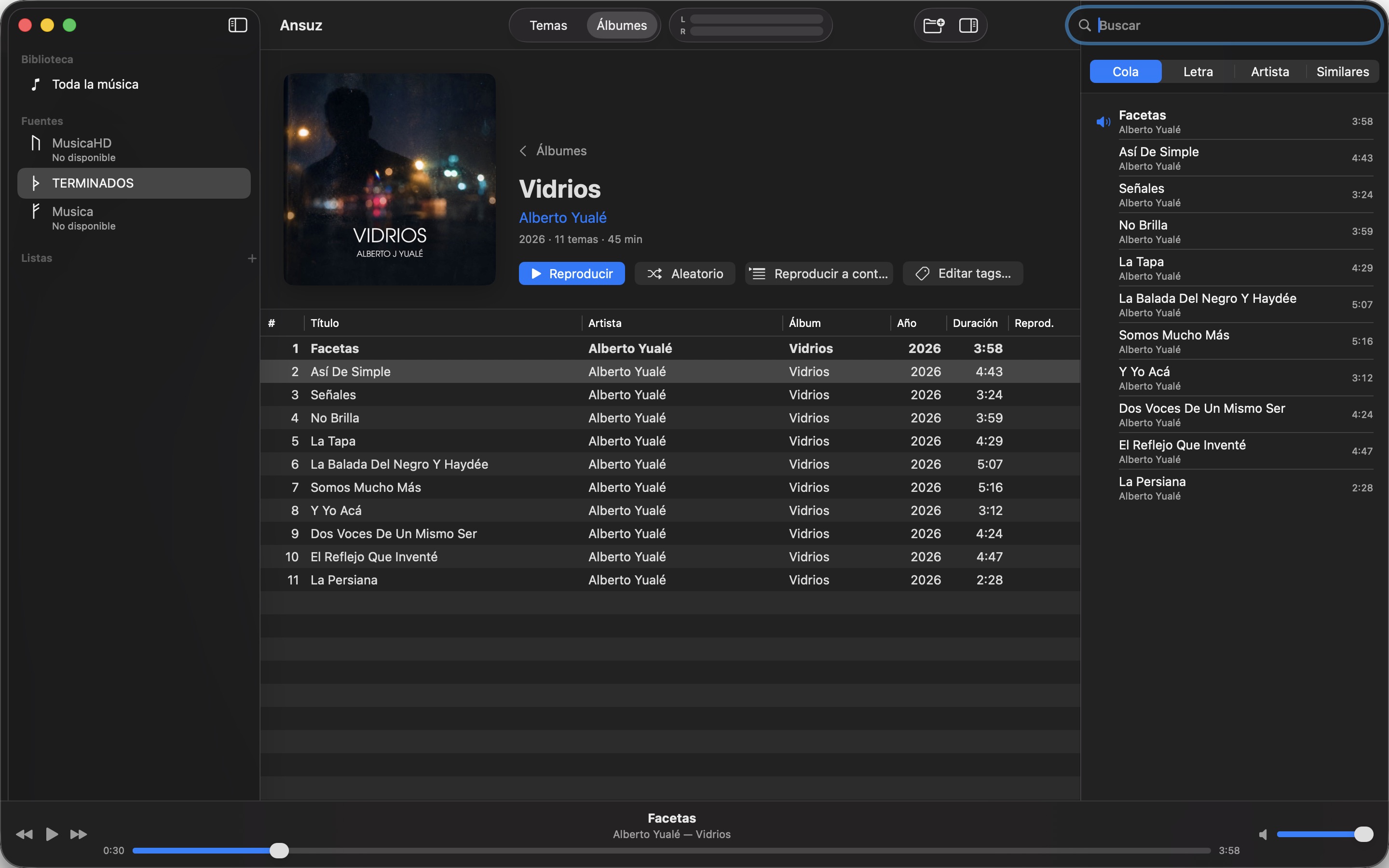
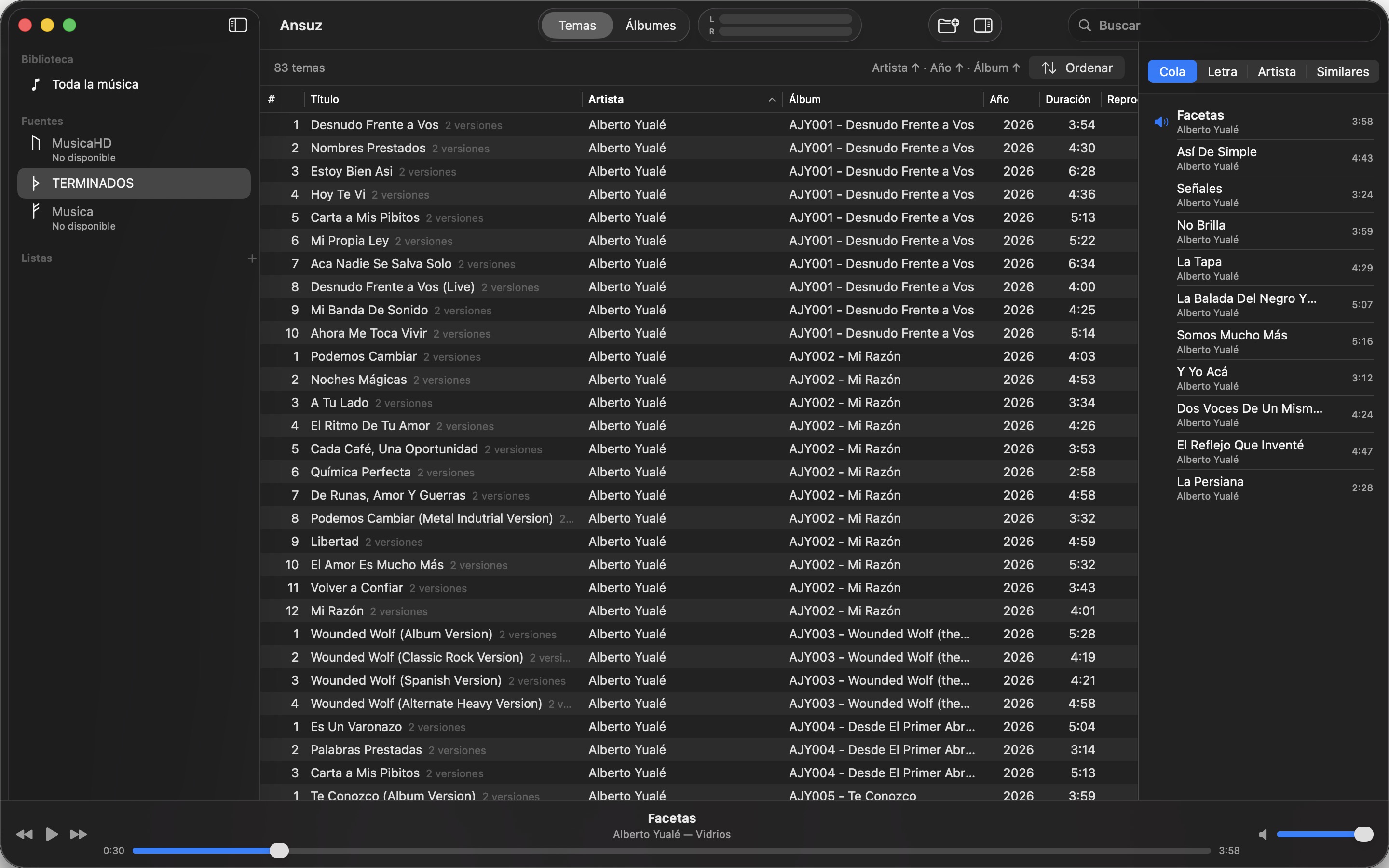
A native macOS player built for large local collections: FLAC, DSD and SACD, on your disks or your NAS. One catalog, instant search, gapless playback, lyrics, artist pages and Last.fm. And it never touches your files.
Requires macOS 15 or later on the Mac iOS 18 or later on the iPhone and tvOS 18 or later on the Apple TV. In English, Spanish, French, Italian, Portuguese (Brazil), German, Russian, Simplified and Traditional Chinese, Japanese, Polish and Swedish.
Why Ansuz
Built for big.
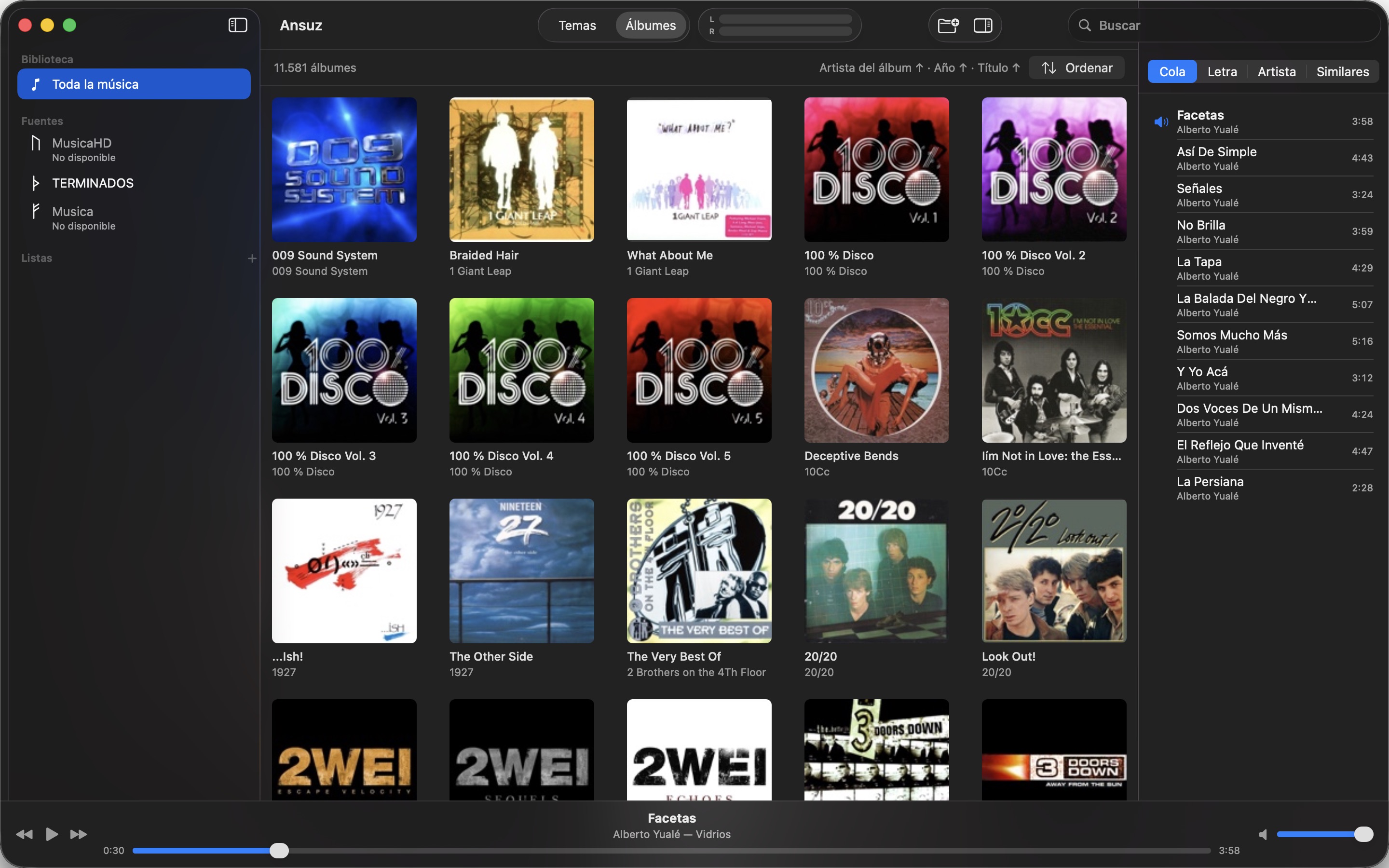
A million tracks on a NAS is a normal Tuesday. Search, sort and browse stay instant because Ansuz indexes once and works from its own database, never from the folder.
Your files stay yours.
Ansuz reads tags, it doesn’t rewrite them. No moving, no renaming, no cloud copy. Everything it generates lives in its own folders; delete the app and nothing of yours has changed. The one exception is the tag editor, off by default, which writes only the fields you change.
Nothing phones home.
No account, no servers, no analytics. Ansuz only talks to Last.fm, MusicBrainz or LRCLIB when you ask it to, and says so in plain language.
What Ansuz does
One library from many places
Add folders from your Mac, external drives and network shares. Ansuz merges them into a single catalog with one search box. A disk that’s unplugged stays in the library, greyed out, until it’s back; move your collection to a new NAS and relocate the source without losing ratings, playlists or history. Local folders update on their own when files change; network shares rescan when you ask. Each source gets a rune of the Elder Futhark as its icon in the sidebar. And when you think in folders, the Folders view walks each source like the Finder does, in icons, list or columns. Going away? Disconnect the sources you cannot reach and Ansuz stops looking for them at every launch; reconnect them when you are back. Rename or move a folder and its songs keep their ratings and history. Right-click a source for everything about it: its files by type, the space they take and the health of its disk.
What you play, first
With thousands of CDs, the albums you love shouldn’t be a search away. Home opens with shelves of your favorite, recently played and most played albums, and the whole collection right below. Heart an album to keep it on top.
Browse in columns
Narrow the library down step by step, iTunes style: genre, then album artist, then album; or format, sample rate and album to find your high-resolution music. Up to five columns side by side, each with how many songs every value has and the songs table of what you chose below. Fourteen fields to combine, from composer and decade to rating, key and BPM, saved as named setups you edit. Counted in the database, so it stays instant with a million songs.
The same album twice? You see the best one
Keep an album in MP3 and FLAC and Ansuz shows the best copy, with the others one click away. You choose which source wins.
Whole discs, track by track
A CD ripped to one file with a .cue sheet shows up as its tracks, with gapless playback between them. SACD ISO images are read directly, stereo or multichannel, with the titles stored on the disc.
The rare formats too
APE, WavPack, Musepack, WMA, TTA, TAK, RealAudio… Whatever the Mac can’t play, Ansuz decodes with FFmpeg, which comes built into the app: nothing to install. Lossless formats sound exactly like the original, sample for sample, and an APE or WavPack image with its .cue splits into tracks like any other.
Album and artist pages that know things
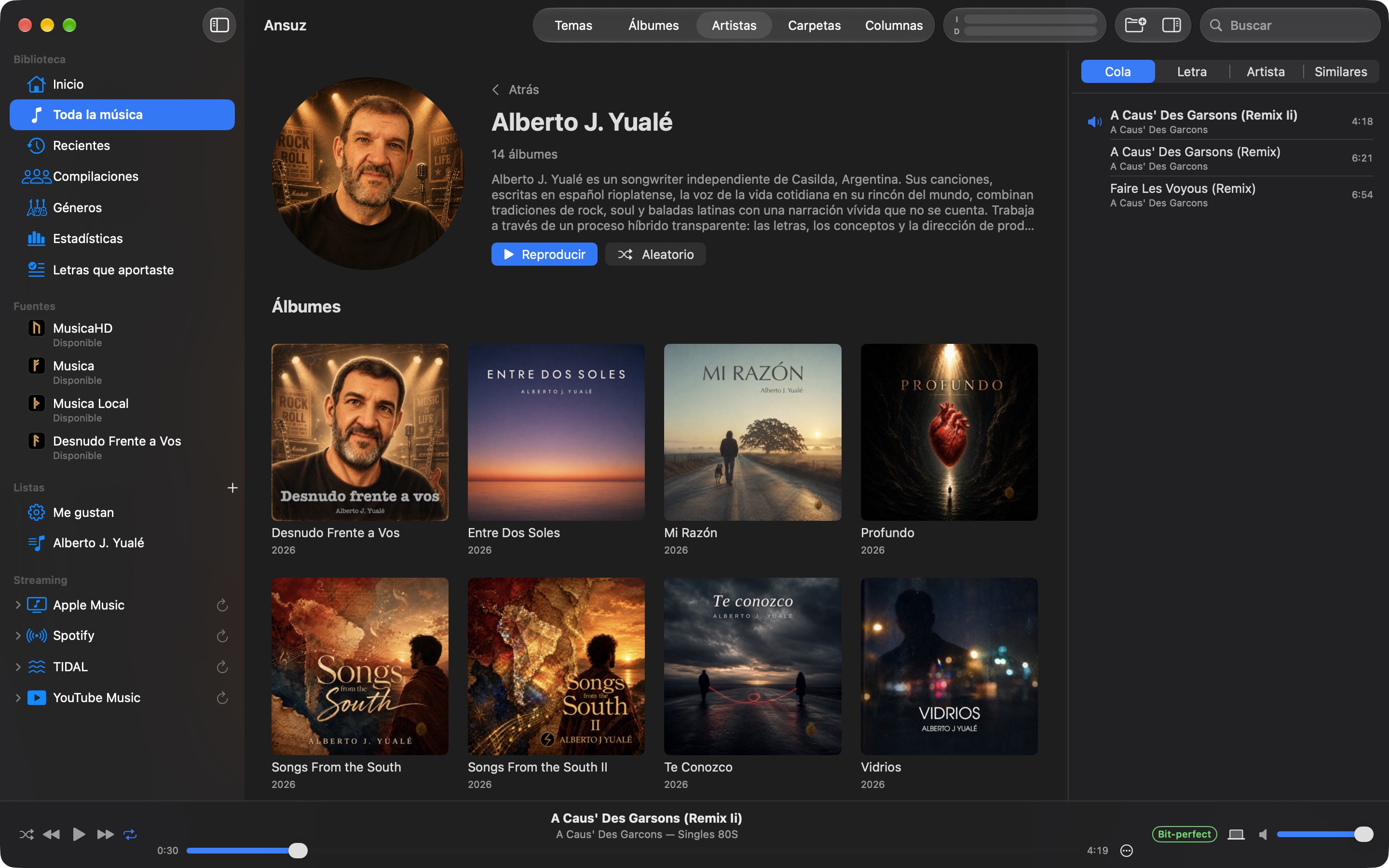
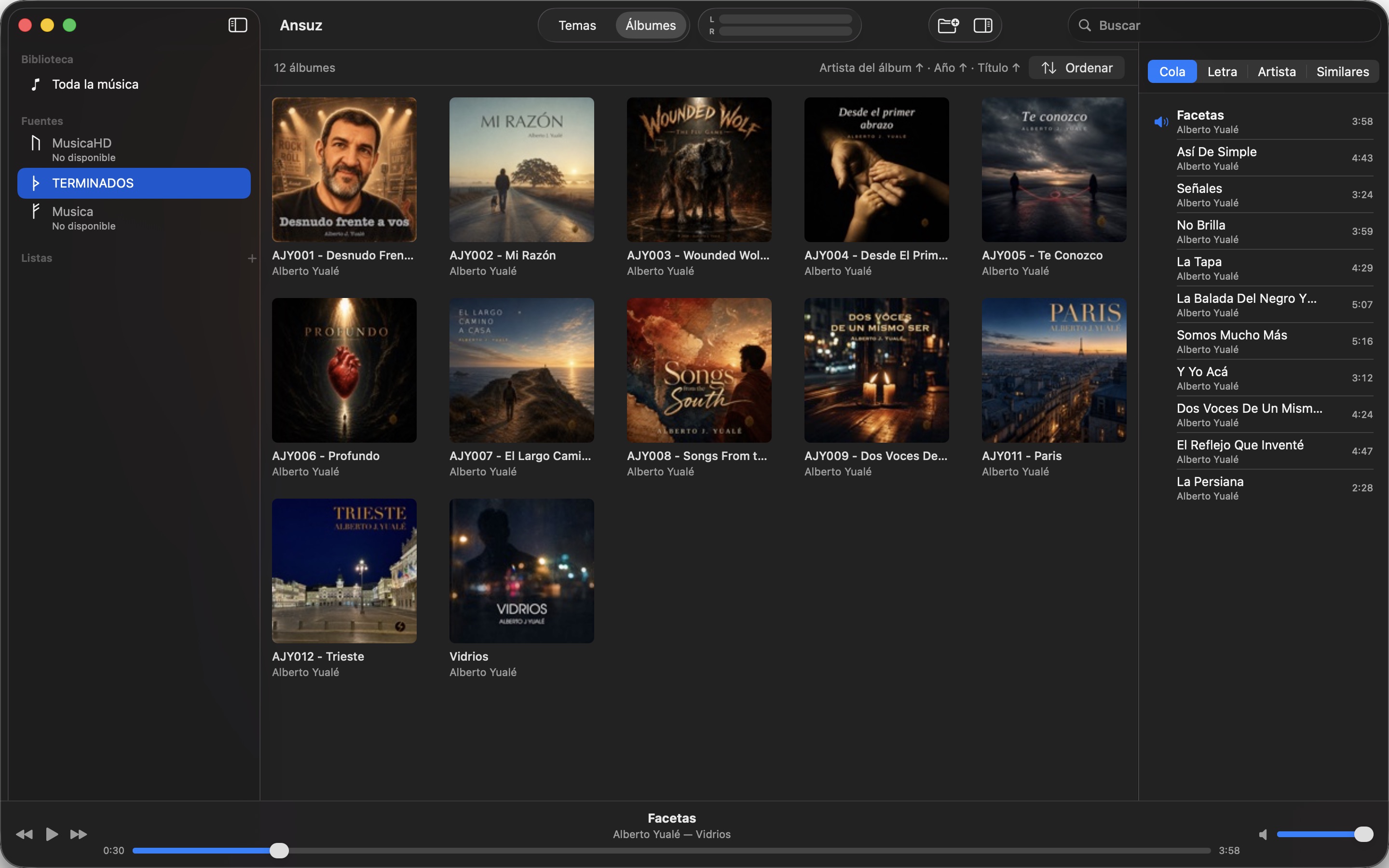
Large artwork, embedded or from the folder, or fetched from Cover Art Archive and Last.fm when the file has none, recording details, synced lyrics that follow the song. Artist biography in your language, official site, social profiles, upcoming shows and the similar tracks you already own, pulled from MusicBrainz, Wikidata, Discogs, Last.fm, Bandsintown and Ticketmaster. Bring your own lyrics from a file or the clipboard, sync them line by line while the song plays, and publish them to LRCLIB. An album inspector shows, source by source, what is known and what is missing, and compares your library with MusicBrainz and Discogs. Two bands with the same name stay apart, each with its own page.
Every artist, with their face
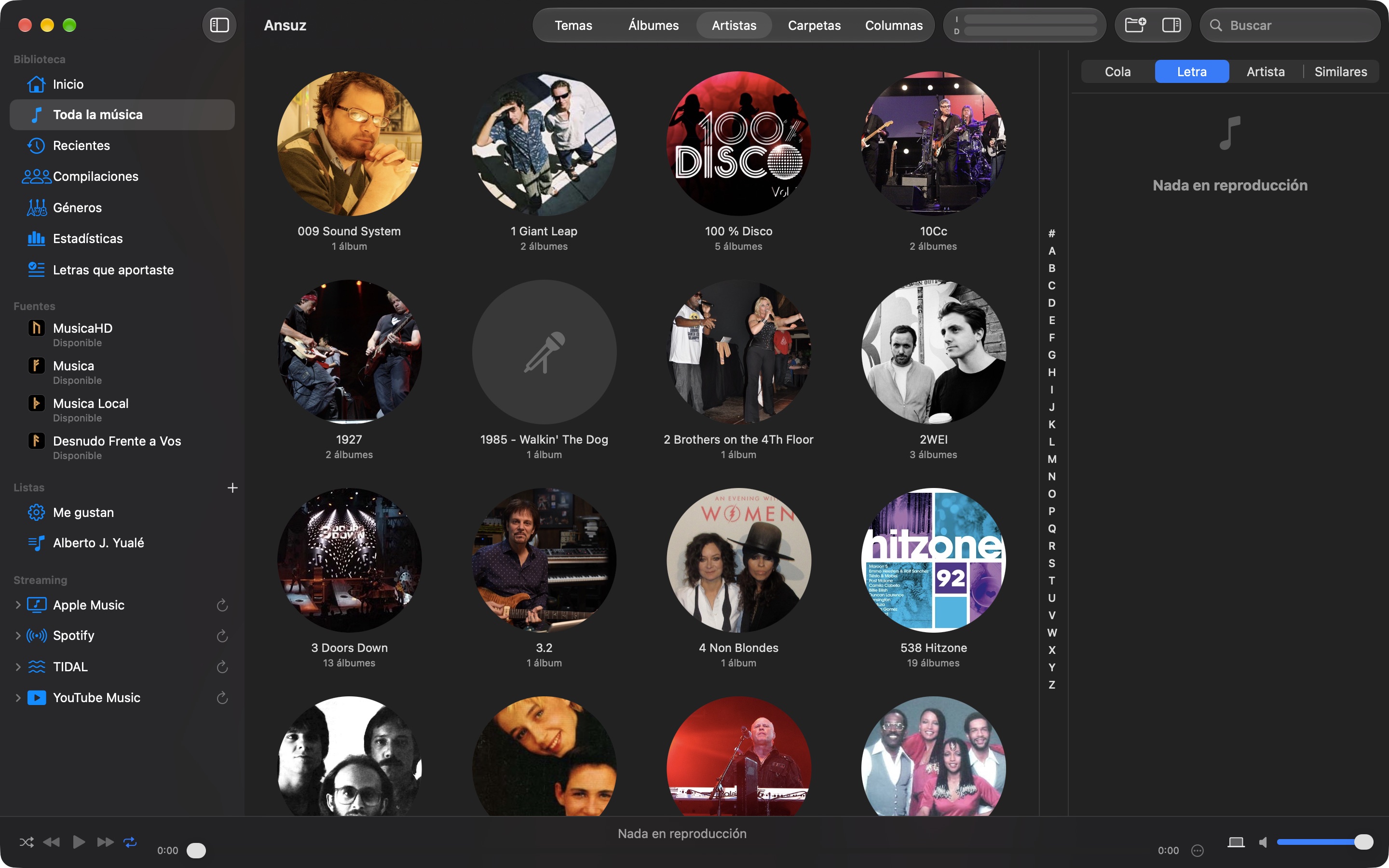
An Artists view with each artist’s photo and a letter bar to jump straight to any letter. Each artist’s page has a short biography, albums from newest to oldest, separate sections for EPs, singles, greatest hits and compilations, and related artists from your own library.
Untagged files get identified
Acoustic fingerprinting with AcoustID and MusicBrainz names the songs your tags don’t. Files with no tags at all take artist, album and year from the folder and file names. Every album is matched to its MusicBrainz release, so recordings, ISRCs, label and catalog number come from the database instead of guesswork. And when a disc is not on MusicBrainz yet, Ansuz opens the release editor filled in from your files so you can add it. For Discogs it prepares a CSV draft the same way. Complete Tags fills in what a single song is missing, such as year, genre or ISRC, ready to be written to the file from the tag editor.
Your playlists, everywhere
Rate and love songs in the table; loved songs go to Last.fm. Scrobble to Last.fm and ListenBrainz with an offline queue. Build playlists by drag and drop or smart playlists that fill themselves from rules, and import or export M3U. Publish a playlist to Apple Music, Spotify or TIDAL, import your YouTube Music playlists or send one there as a CSV file for TuneMyMusic, and see your streaming playlists in Ansuz with the songs you own ready to play. Coming from Music or iTunes? Import your ratings, play counts and playlists from the exported library.
Playlists, queue and history
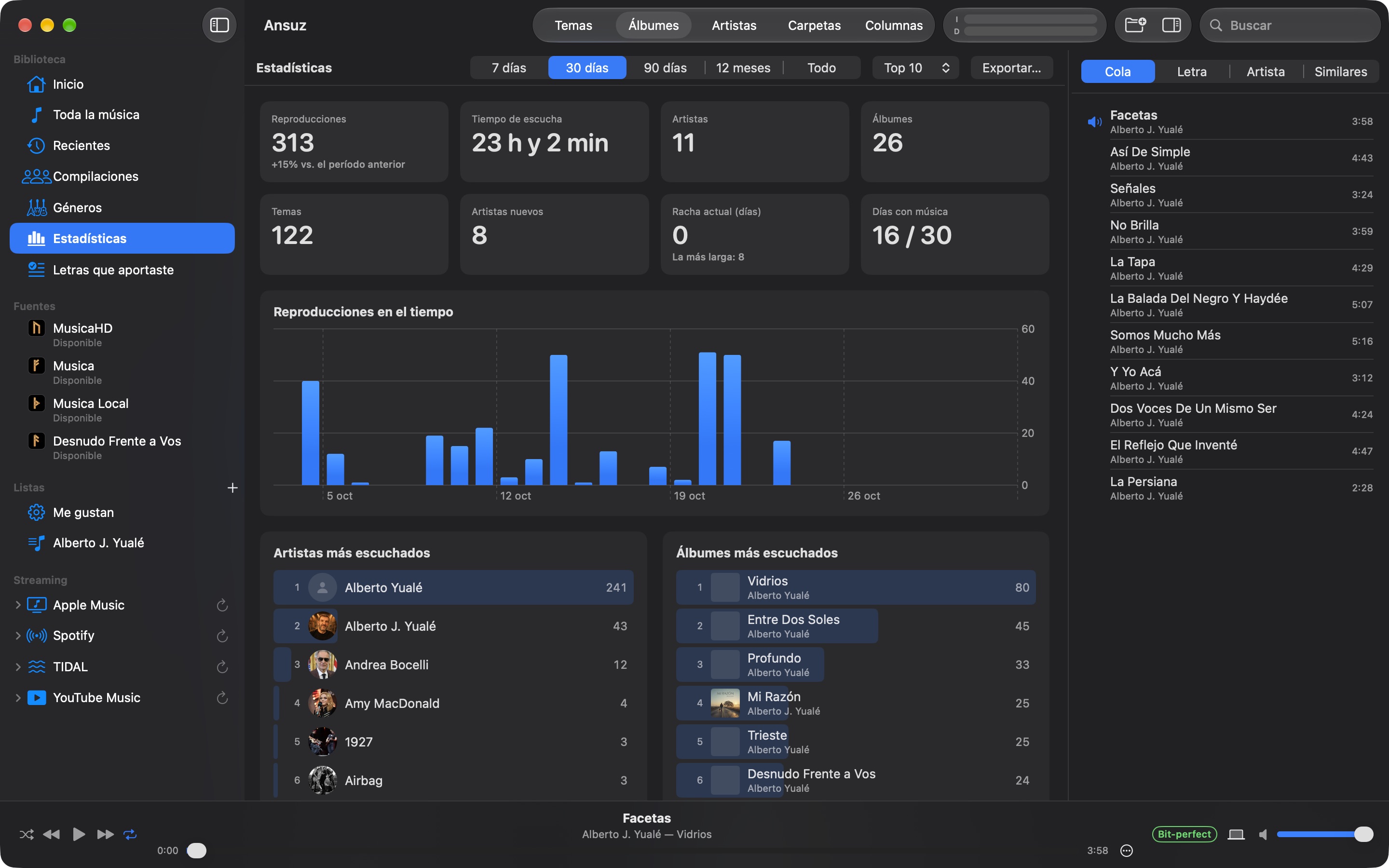
Your own playlists, a play queue with “Play Next” and drag to reorder, shuffle and repeat. Recent albums, play counts and the full history live in the library. A track info window (⌘I) shows the file’s technical details; BPM and key have their own table columns, and you choose which fields the album grid shows under each cover. A ⋯ menu next to the progress bar keeps every action for the playing song one click away. Genres are lists you can browse, click and search. Albums show their full release date, not just the year. A Compilations view gathers the various-artists albums. A Statistics view shows your listening, Last.fm style: top artists, albums, songs and genres for any period, plays by decade, hour and weekday, and what you have never played.
Tag editing, only if you ask
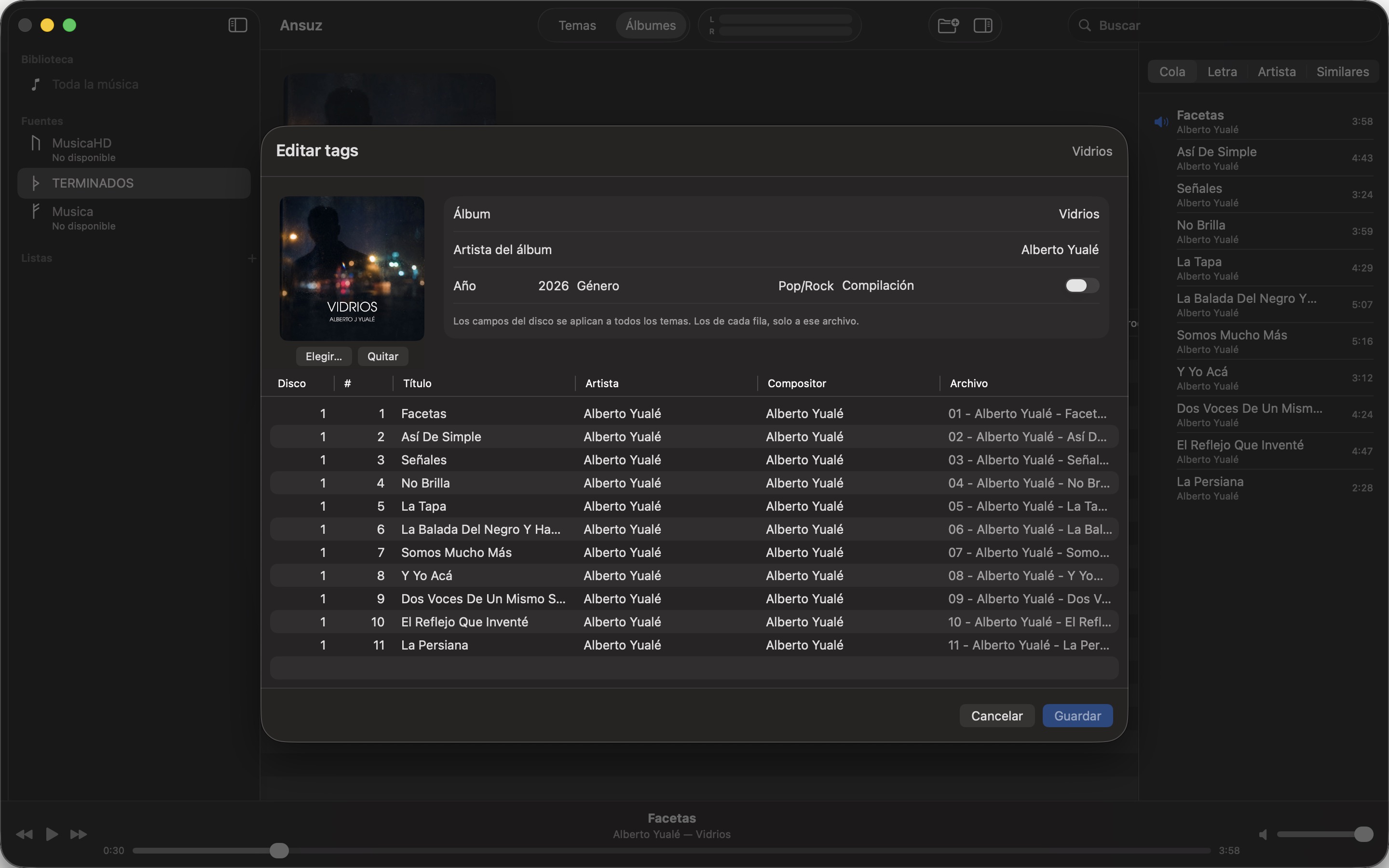
Tag editor built for large libraries: filter the library with rules or ready-made filters (no genre, no composer, waiting to be written), edit in a grid or set one value on thousands of songs at once, undo any edit. Changes reach the library instantly and your files only when you press Write Tags, which checks that the audio stays bit-for-bit identical before replacing a file; it works with the NAS disconnected. Writing to files is off by default.
Artwork - PDF for your CD
From the album page, ⌘P builds a PDF with what Ansuz already knows about the disc: a booklet with cover, song list, credits, technical details, every tag in the files and lyrics, or real-size case inserts with crop marks for jewel, slim and digipak cases. Save it or print it at 100 %, to keep your discs on the computer or replace a broken cover.
Long jobs run while you sleep
Re-reading tags, finding covers, fingerprinting, looking for new files: on 200,000 tracks that takes days. Choose time windows per weekday and Ansuz works through them on its own, remembering what is done so nothing runs twice. Drag the tasks to set the order they run in. To analyze just one album, playlist or song, use its menu.
Your library on your iPhone
Ansuz for iPhone is a remote for the Mac: browse the whole library, pick what plays, reorder the queue, rate, change the volume or the output. Or take playlists with you: the Mac copies them to the phone over your network, as the original file, Apple Lossless or AAC, in the background. Ratings, loves and plays come back to the Mac, and plays are scrobbled from the phone. No cloud in between. In the car, CarPlay plays it with the standard Now Playing screen. Or just ask Siri: “Play Coldplay with the Ansuz app”.
Your iPhone, without the Mac
The iPhone also works on its own. Copy music to the Ansuz folder in the Files app, over a cable from a computer, or send it from AirDrop, Mail, WhatsApp or Safari, zips included, and it joins the library by itself. Add folders from a USB drive, iCloud Drive, a network server, Dropbox or Google Drive: copied to the phone, or used right where they are without taking space. FLAC, ALAC, AAC, MP3, WAV and AIFF, with their tags and covers. Or send it from any computer’s browser over Wi-Fi, whole folders included: the iPhone shows an address and a PIN. Still no Ansuz account and no Ansuz cloud.
Your music server, on the iPhone
Connect Ansuz for iPhone to a Subsonic or OpenSubsonic server, like Navidrome, Airsonic or Gonic, and its catalog joins the library: albums next to the rest, one search for everything, its playlists, CarPlay. A NAS with a DLNA media server, like Twonky or MiniDLNA, works too: Ansuz finds it on your network by itself, and one on another network you add by its address. A shared folder on a NAS works as well, through the Files app: Ansuz reads it where it is. Each song downloads as it plays, in the original or as MP3 to save mobile data, and Download to iPhone keeps an album for offline listening. The password stays in the iPhone’s keychain; each request carries a one-time token. Away from home, what you downloaded keeps playing.
The Music app, inside Ansuz
Add the iPhone’s Music library as a source and the songs you bought, ripped from CDs or synced from a computer join Ansuz’s library: the same albums, one search, their playlists, CarPlay, with gapless playback, ReplayGain and crossfade. Nothing is copied and nothing is changed: Ansuz reads them where they are, and what you add to Music shows up by itself. Apple Music songs with copy protection only play in the Music app, so Ansuz leaves them out and tells you how many.
Your library on the TV
Ansuz for Apple TV plays your Mac’s whole library in the living room, streamed over your network: albums, artists, playlists and search with the keyboard or by dictation. What the Apple TV can’t decode, DSD and SACD included, the Mac converts on the fly. A Now Playing screen made to be read from the couch, clickpad gestures to skip and scrub, a queue you can edit, and the cover full screen when nobody touches the remote. Nothing is stored on the TV, and no cloud in between. Even with the Mac turned off, it plays straight from the Subsonic, Navidrome or DLNA servers on your network, and an iPhone can share its own library with the TV.
Your library, everywhere
Turn on the Subsonic server and your Mac serves its library to Subsonic apps like Amperfy, play:Sub, Symfonium or Feishin, on your phone or another computer, with users and profiles. Away from home, Ansuz opens a port on your router and serves over HTTPS with a Let’s Encrypt certificate it requests and renews by itself, with dynamic DNS; or use Tailscale.
Bit-perfect, if you want it
Send Ansuz to your DAC while the rest of the Mac keeps its own output. Ansuz switches the device to each file’s sample rate, can take it in exclusive mode, moves the DAC’s own volume instead of scaling the samples, and a Bit-perfect label tells you when the device gets the file untouched, or what is changing it. With a compatible DAC, DSD goes native over DoP: the 1-bit stream, untouched.
Mini player and menu bar
A compact floating window (Window › Mini Player, ⇧⌘M) with the cover, the song, the controls, the progress and the volume, always above your other windows. And Ansuz in the menu bar: the song that is playing with previous, play/pause and next, one click away.

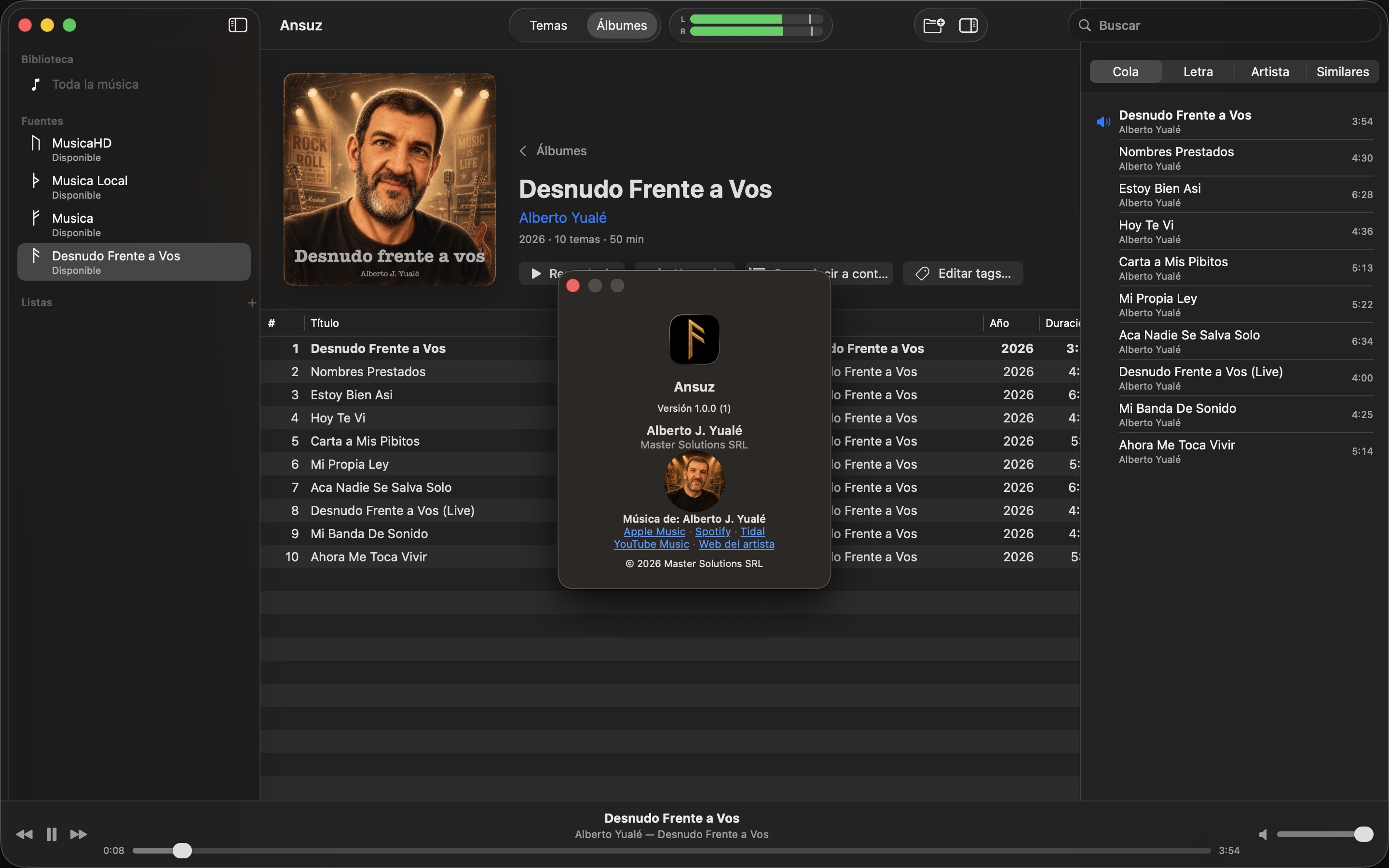
Ansuz is made by a musician for his own collection. It ships with the album “Desnudo Frente a Vos” by Alberto J. Yualé so there’s something to play on first launch; keep it or remove it in Settings.
Screenshots
Help
The full manual, the same one that ships inside the app (Help › Ansuz Help, ⌘?).
Read the manual →Privacy policy
Ansuz has no servers, no accounts and no analytics. Your index, artwork and history stay on your Mac.
Read the privacy policy →Contact
Questions, bugs, ideas? Write to us and we will answer.